Stop finding out at UAT.
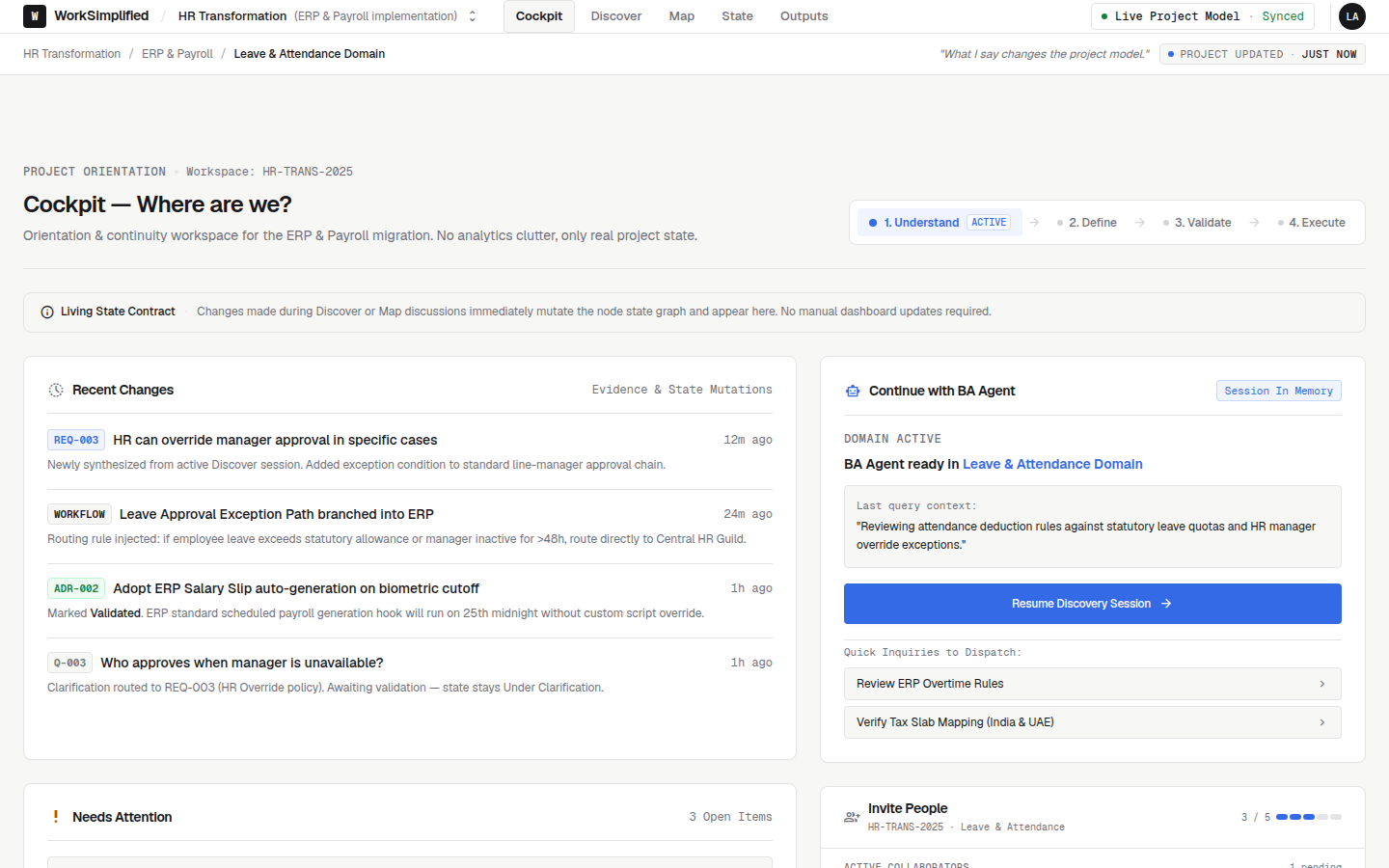
For ERP and implementation teams. Keep every requirement, decision and owner in one place, linked to who said it, so disagreements surface in discovery instead of after the build.
Two stakeholders describe the same rule differently, and nobody notices until UAT.
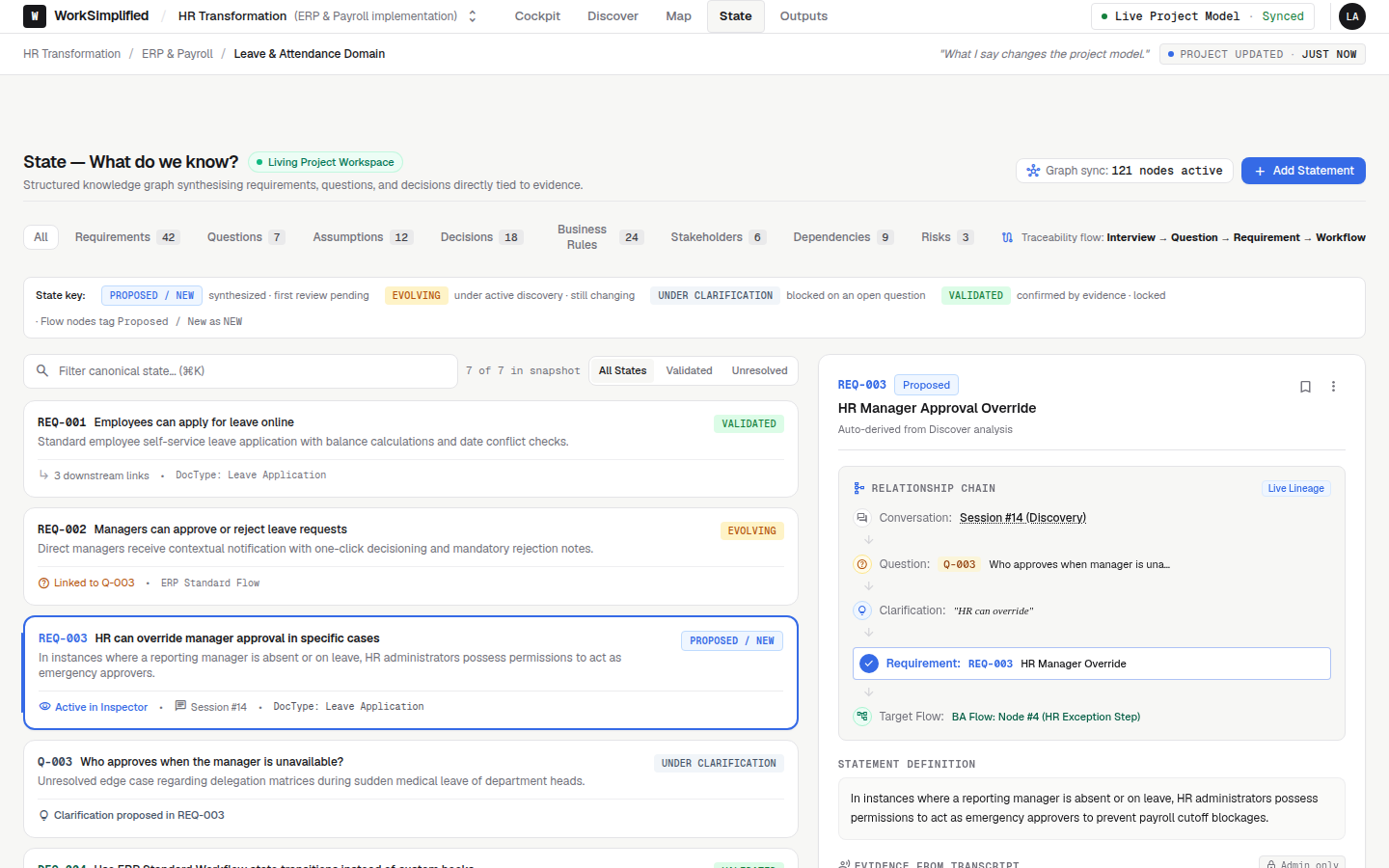
The conflict is flagged the moment the second person says it, and the owner is asked.
Approvals live in chats and calls, so nobody can say who agreed to what.
Every requirement shows who approved it, when, and why.
When a consultant leaves mid-project, the context leaves with them.
Everything they heard and decided stays in the project for the next person.
Stakeholders get asked the same question again because earlier answers are buried.
Previous answers are one search away, with the exact words.
BA notes, spreadsheets and documents don't line up at handover.
The build team gets one set of approved requirements and the documents generated from them.
The BRD is out of date the day after it is signed.
Documents are regenerated from the current approved state, so they never drift.
Delivery heads
See readiness across the project, what is blocked and who owns it.
Business analysts
Capture requirements from every conversation without rewriting notes.
Functional consultants
Work from approved requirements, with the evidence behind each one.
Developers
Build from a clear, approved scope instead of guessing from documents.
Client stakeholders
Approve what matters to them, with their reason recorded.
- Step 1Tell us about the projectThe implementation, the people involved and where discovery usually goes wrong.
- Step 2Agree a scopeOne live implementation, with the stakeholders who will take part.
- Step 3Run discovery in itYour team talks to stakeholders as usual. Requirements build up in the workspace.
- Step 4Hand overApproved requirements become documents and records in your ERP. You keep everything.
Does it replace our project management tool?
Which systems can approved work go to?
Can our clients approve requirements?
What happens to things that are still uncertain?
Are conversations used to train AI models?
Running an implementation?
Tell us about your project and we will show you how its requirements would look in WorkSimplified.